
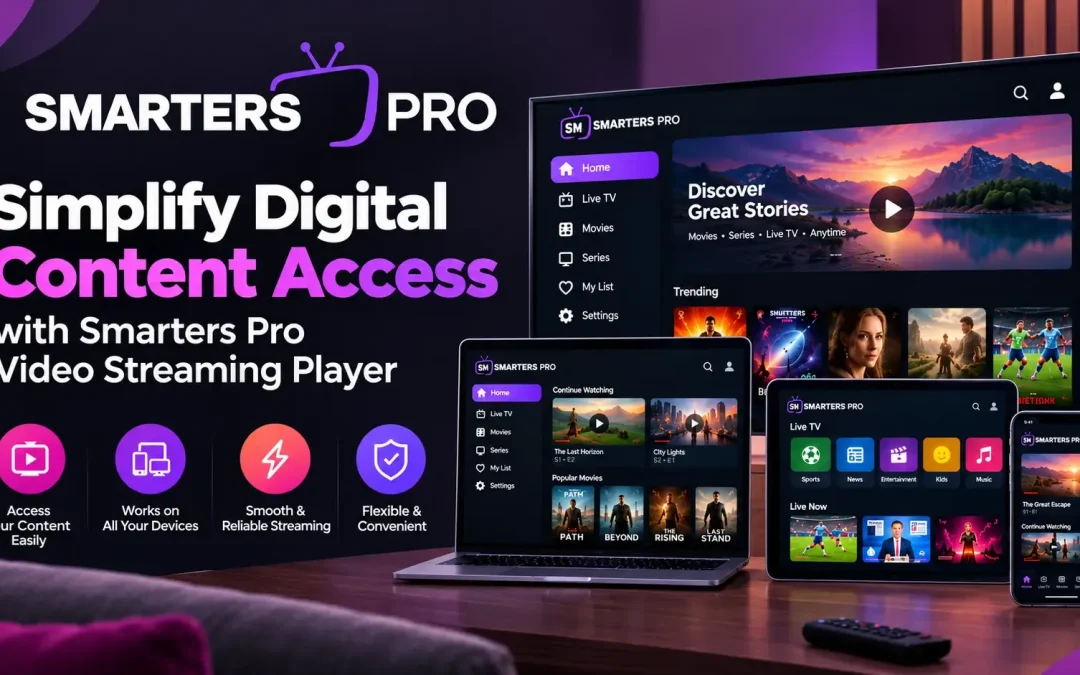
Accessing and organizing digital media should be a simple and convenient experience. With movies, series, music, and other forms of personal content stored across different locations, users need a reliable way to manage their collections. A well-designed media player can make browsing, organizing, and playing digital content easier through a user-friendly interface and practical playback features.
Smarters Pro offers a flexible media playback experience for users who want to access their personally owned digital content across compatible devices. With playlist support, straightforward navigation, and useful customization options, it helps simplify everyday media management while providing greater control over personal entertainment libraries.
Enjoy Convenient Access to Digital Content
Managing a growing media collection can become challenging when files and playlists are spread across multiple sources. A dedicated Video Streaming Player helps bring supported content into one accessible interface, making it easier to browse available media and select what to play.
Users can benefit from an organized viewing and listening experience without unnecessary navigation or complicated setup procedures. Whether accessing a favorite movie, continuing a series, or playing music, a straightforward interface makes everyday interactions more convenient.
Key benefits include:
- Easy access to supported personal media collections.
- Organized browsing through compatible playlists.
- Convenient playback controls for different content types.
- A user-friendly interface that simplifies navigation.
- Flexible options for managing supported media sources.
These capabilities help users spend less time managing their collections and more time enjoying their preferred content.
Explore Flexible Playlist Compatibility
Organize Media with M3U and JSON Playlists
Playlist compatibility is an important consideration when selecting a media player. Different users may organize their digital collections using different formats, so support for commonly used playlist types can make content management more convenient.
M3U and JSON playlist compatibility allows users to work with supported sources and organize their media through a familiar interface. Depending on the device and source configuration, users can add compatible content from local storage or remote locations.
Important playlist management features include:
- Flexible playlist access: Work with supported playlist formats.
- Simplified organization: Keep compatible media sources accessible in one interface.
- Convenient navigation: Browse available content without repeatedly searching through separate locations.
- Practical management: Update or organize playlists according to the available application features.
Using compatible playlists can make it easier to maintain a structured digital library as personal collections grow.
Enjoy a User-Friendly Playback Experience
Simple Navigation and Practical Controls
A clean interface plays an important role in creating a comfortable media experience. Clearly arranged menus, accessible playback controls, and organized content categories help users find the features they need without unnecessary complexity.
A reliable media application should make essential actions straightforward, from selecting a playlist to controlling playback. Features such as playback navigation, subtitle options, audio-track selection, and external player compatibility may also improve convenience when supported by the application and device.
A well-organized interface can help users:
- Browse movies, series, and music efficiently.
- Access available playback settings.
- Adjust supported audio and subtitle preferences.
- Navigate between different content categories.
- Personalize selected settings to suit individual preferences.
These practical features contribute to a more adaptable experience for different users and media collections.
Access Content Across Compatible Devices
Modern users often move between different devices throughout the day. A media player that supports multiple compatible platforms can provide greater flexibility when accessing personal digital content.
Depending on the available application version, users may be able to enjoy their collections on supported mobile devices, computers, and other compatible platforms. Before installing the application, it is helpful to check device requirements, operating system compatibility, and the availability of specific features.
For a smoother setup, users should consider the following steps:
- Confirm that their device meets the application’s requirements.
- Install the appropriate version from a trusted source.
- Prepare a compatible playlist or supported media source.
- Configure the available settings according to personal preferences.
- Test playback and adjust supported controls when necessary.
Following these steps can help establish a convenient media environment with fewer setup difficulties.
Improve Digital Media Organization
As digital collections expand, effective organization becomes increasingly valuable. A structured interface makes it easier to locate preferred content, revisit familiar selections, and maintain access to supported media sources.
Users can improve their experience by keeping playlist information updated, removing outdated entries, arranging content consistently, and reviewing application settings periodically. A stable internet connection may be necessary for remote sources, while locally stored content depends on device storage and file compatibility.
It is also important to use authorized media sources and protect account details wherever applicable. Downloading applications from trusted sources and reviewing requested permissions can contribute to safer everyday use.
Conclusion
Simplifying digital media access starts with choosing an application that combines convenient navigation, playlist compatibility, and practical playback controls. Smarters Pro provides an accessible approach to managing supported personal content, helping users organize their media collections and enjoy a flexible playback experience across compatible devices.
By making effective use of available features and maintaining organized playlists, users can create a more convenient way to access their preferred digital content. A straightforward interface and adaptable settings can make everyday media management easier while supporting a more personalized entertainment experience.