
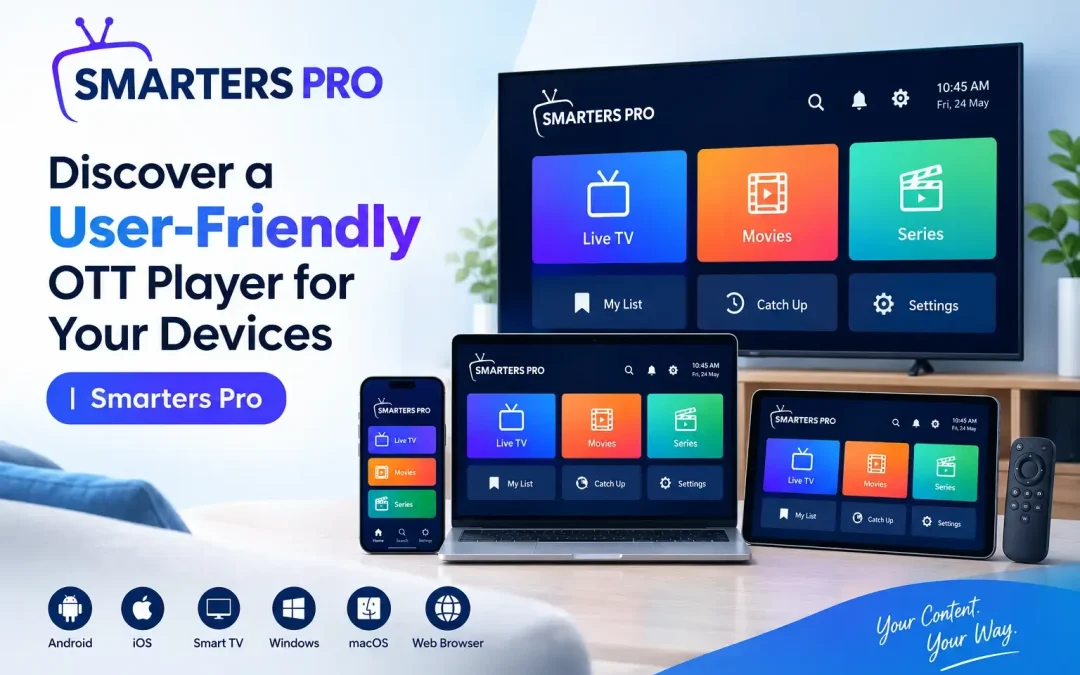
OTT Player applications provide a convenient way to manage personal digital content across different devices. Managing movies, series, music, and other media becomes easier with a reliable media playback application. A well-designed platform helps users organize their favorite content in one convenient place. Simple navigation, flexible playlist options, and customizable settings can make everyday media access more comfortable. Choosing the right application also helps users maintain an organized content library while enjoying a consistent experience across compatible devices.
What Makes a Media Player User-Friendly?
A user-friendly application combines practical functionality with a straightforward interface. Users should be able to navigate menus, locate their preferred content, and adjust playback settings without unnecessary complications.
Important characteristics include:
- Simple navigation: Clearly organized menus help users find content efficiently.
- Playlist compatibility: Support for different playlist formats provides flexibility when adding personal media sources.
- Organized content libraries: Categories and sorting options make large collections easier to manage.
- Customizable settings: Personal preferences allow users to adjust the interface and playback experience.
- Convenient controls: Accessible playback options simplify everyday use.
These features can help users spend less time managing their libraries and more time enjoying their personally owned or otherwise authorized digital content.
Explore Flexible Playlist Management
Support for M3U and JSON Playlists
Playlist compatibility is an important consideration when selecting a media application. Support for M3U and JSON formats allows users to organize compatible media sources according to their individual requirements.
An application that supports these formats can make it easier to manage content from local storage or compatible remote sources. Users should ensure that their playlists contain media they own or have permission to access.
Keep Your Media Organized
A structured library can improve the overall browsing experience. Instead of searching through multiple folders or unorganized lists, users can arrange their collections in a way that suits their preferences.
Useful organization options may include:
- Grouping movies and series into separate categories.
- Sorting content by name or other available details.
- Creating a favorites list for frequently accessed items.
- Using search functionality to locate specific titles.
- Keeping recently accessed content easy to find when supported.
These capabilities help create a more organized and personalized media library.
Enjoy Compatibility Across Different Devices
Access Content on Supported Platforms
People use different devices to manage and enjoy their personal media collections. A versatile application should offer a suitable experience on the platforms it supports, including compatible smartphones, tablets, desktop computers, and streaming devices.
Before choosing an application, users should review its device requirements, operating system compatibility, and available installation options. Compatibility may vary depending on the specific application version and device model.
Maintain a Familiar Experience
Consistent navigation and recognizable controls can make switching between supported devices easier. An intuitive interface reduces the learning curve for new users and helps experienced users manage their collections more efficiently.
For households or individuals using multiple compatible devices, a familiar layout can contribute to a more convenient media management routine.
Make Playback More Convenient
An effective OTT Player should offer practical controls that help users manage their viewing and listening experience. Playback functionality, audio options, subtitle support, and external player compatibility can contribute to a more flexible setup when available.
Consider the following useful features:
- Playback controls: Pause, resume, and navigate through supported media.
- Subtitle options: Adjust subtitle availability and preferences for compatible files.
- Audio selection: Choose supported audio tracks when multiple options are available.
- External player support: Use compatible third-party applications when the feature is provided.
- Personalized preferences: Adjust available settings to suit individual requirements.
Actual functionality depends on the application, device, media format, and selected content source. A stable internet connection may also be necessary when accessing media from remote locations.
Why Interface Design Matters
Clear Layout and Easy Navigation
An uncluttered interface makes it easier to understand available features. Clearly labeled menus, readable text, and logically arranged categories help users locate important functions without navigating through unnecessary screens.
Personalization for Everyday Use
Customization can make an application feel more suitable for individual preferences. Depending on the available features, users may be able to change themes, adjust interface settings, organize favorites, and modify playback options.
These small adjustments can improve usability and help users create a media environment that matches their routines.
Choosing the Right Application for Your Needs
Before installing a media playback application, evaluate your requirements and compare the available features. Consider these factors:
- Device compatibility: Confirm that the application works with your operating system.
- Playlist formats: Check whether your existing playlists are supported.
- Ease of use: Look for intuitive menus and straightforward controls.
- Privacy and security: Review permissions, privacy policies, and data-handling practices.
- Available features: Identify the playback and organization tools you actually need.
- Content authorization: Use legitimate media sources and playlists you are authorized to access.
Reviewing these details beforehand can help you choose an application that suits your devices and personal media collection.
Conclusion
A convenient media application can simplify content organization, improve navigation, and provide flexible playback options across compatible devices. Playlist support, customizable controls, and an intuitive interface are valuable features for users who want a more organized digital media experience.
Smarters Pro provides a media player option for users looking to manage compatible personal content through practical playlist and playback features. By evaluating device compatibility, available tools, and ease of use, you can select a solution that supports your media preferences and everyday requirements.