
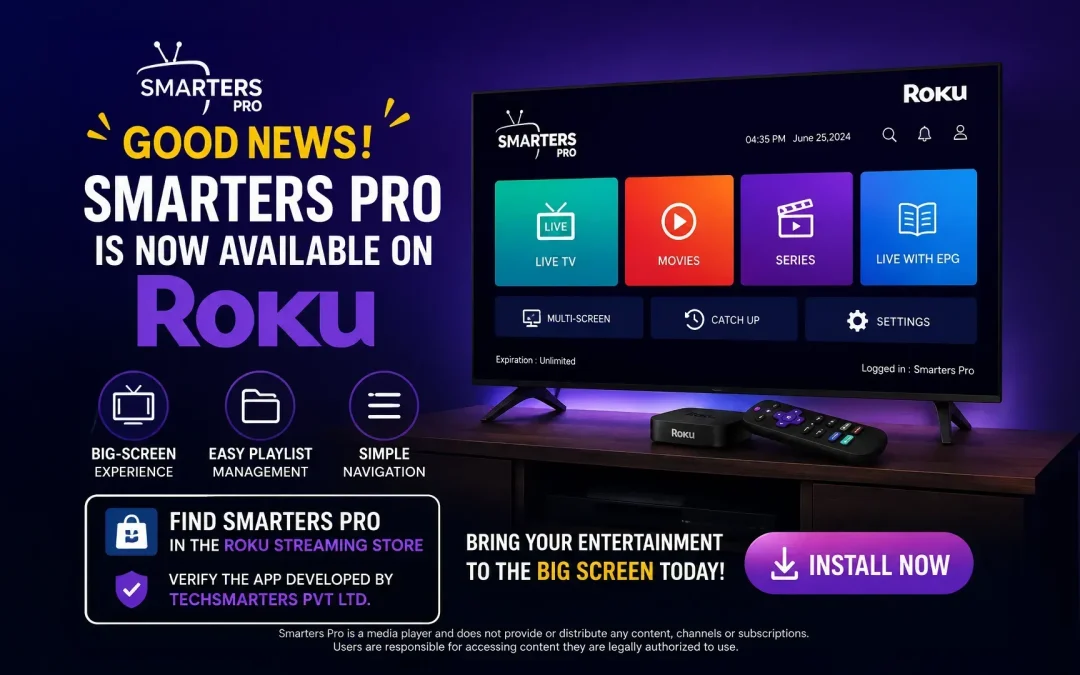
The way people used to enjoy digital content has changed. Now Viewers use smart devices as their primary entertainment screens, expecting simple navigation, flexible playback, and an experience that feels natural on the big screen.
With Smarters Pro now available on Roku, users have another convenient option for accessing and organizing their compatible media. Developed by techsmarters pvt ltd as a modern media player, Smarters Pro provides a better interface for managing supported playlists and playing personally owned or authorized content on compatible Roku devices.
Whether you want to organize playlists, browse different categories, or enjoy your available content on a larger display, Smarters Pro is designed to keep the experience simple.
Important: Smarters Pro is a media player. It does not provide, host, sell, or distribute IPTV subscriptions, channels, or copyrighted content. Users are responsible for accessing content and playlists they are legally authorized to use.
Smarters Pro Is Now Available on Roku Channel Store
Roku provides a dedicated Streaming Store where users can discover and install public apps. Roku explains that the store contains apps across multiple categories and that public apps available there have gone through Roku’s certification process.The availability of Smarters Pro on Roku brings the player to a platform built around big-screen entertainment.
Instead of relying on a smaller mobile display, users can access their compatible content through their Roku-connected television and enjoy a viewing environment designed for the living room.For anyone already using Roku as part of their home entertainment setup, having a dedicated media player can make managing compatible content more convenient.
Why is Smarters Pro so Important for Roku?
Smarters Pro is a media player for Roku that provides an interface for accessing and playing compatible content supplied by the user.The application is designed around usability, giving viewers a straightforward way to navigate their available playlists and media.
Smarters Pro supports compatible playlist formats such as M3U and JSON, allowing users to work with their own authorized media sources where supported by the application.The important distinction is that Smarter’s Pro does not supply the content itself. Think of it as the player that provides the interface and playback environment, while the user supplies the media or playlist source.
Why Use a Media Player on Roku?
Roku is already designed around convenient access to entertainment apps, but users can have different requirements depending on the type of content they manage.A dedicated media player can be useful when you want to:
- Keep compatible playlists organized
- Access different media sources from one interface
- Enjoy content on a larger screen
- Navigate media more easily
- Use a familiar player experience
- Manage your own authorized content
Instead of treating every playlist or media source as a separate experience, a dedicated player can provide a more consistent way to interact with compatible content.
A Big-Screen Experience Designed for Roku
One of the biggest advantages of using a Roku device is the television experience.Watching content on a large screen feels different from using a smartphone or tablet. The interface needs to be easy to navigate from a distance, and the controls need to work naturally with a remote.
Smarters Pro is designed with this type of viewing environment in mind.The focus is on keeping navigation straightforward so that users can browse their available content without unnecessary complexity.Whether you’re sitting on the sofa or watching with family and friends, a simple interface can make the overall experience more comfortable.
Manage Your Compatible Content in One Place
As digital media collections grow, organization becomes increasingly important.Users may have different playlists, categories, or media sources. Moving between several applications just to find something can become frustrating.
Smarters Pro provides a centralized environment for compatible content, helping users keep their available media organized through one player.You can browse supported playlists, navigate categories, and access compatible content without constantly changing between different media-player interfaces.
This approach is particularly useful for viewers who prefer keeping their entertainment experience simple.
Support for M3U and JSON Playlists
Playlist compatibility is an important consideration when choosing a media player.Smarters Pro supports compatible M3U and JSON playlist formats, giving users flexibility when working with their own authorized media sources.
M3U playlists are widely used to organize media URLs and related information, while JSON can be used to structure information in a different format.Having support for multiple playlist formats can make a media player more versatile for users with different content setups.
However, compatibility can depend on the specific playlist, source, and Roku version of the application. Users should always use media sources they are authorized to access.
Simple Navigation for Everyday Viewing
A media player doesn’t need to be complicated to be useful.For everyday entertainment, users generally want to open the application, find their content, and start playback without navigating through unnecessary menus.
Smarters Pro focuses on a clean and intuitive experience, making it easier to browse available content and access important playback functions.This is especially valuable on a television because users interact with the application using a remote rather than a touchscreen or keyboard.
How to Find Smarters Pro on Roku
Roku’s official instructions explain that users can open the Streaming Store directly from their Roku device, browse categories, or use Search when available. Apps can also be added through Roku’s website or mobile app.
Step 1: Open the Roku Home Screen
Press the Home button on your Roku remote.
Step 2: Open the Streaming Store
Navigate to the Streaming Store and browse the available apps.
Step 3: Search for Smarters Pro
If Search is available on your Roku device, search for Smarters Pro.
Step 4: Verify the Developer
If there are multiple apps with similar names, carefully check the listing before installing.
For your official launch messaging, identify the correct listing as:
Smarters Pro
Developed by Tech Smarters Private Ltd.
The developer information is displayed as part of a Roku app’s listing details.
Step 5: Add the App
Select the correct Smarters Pro listing and choose the available Add app/Add channel option.
Roku notes that terminology and the store interface can vary by platform and current Roku experience.
Step 6: Launch Smarters Pro
After installation, return to your Roku Home screen and open Smarters Pro.
You can then configure the application with your compatible and legally authorized media source.
What If Roku Search Is Not Available?
Roku’s available Streaming Stores differ by country because app availability can depend on regional distribution agreements and other factors. Roku specifically notes that users outside the United States may encounter different Streaming Stores with different combinations of available apps.
If Search is unavailable on your particular Roku device or region, you can try browsing the available categories in the Streaming Store.
Alternative Method
- Open the Roku Home screen.
- Open the Streaming Store.
- Browse the Movies & TV Category.
- Look for Smarters Pro.
- Check that the developer is Tech Smarters Private Ltd.
- Select the correct listing.
- Choose the available installation option.
- Open Smarters Pro from your Roku Home screen.
Roku also supports adding apps through its website and mobile app, although availability can vary by region.
Tip: Because multiple applications may have similar names, always verify the app name and developer before installing.
Key Benefits of Smarters Pro on Roku
Designed for Big-Screen Viewing
Enjoy compatible media through your Roku-connected television rather than being limited to a smaller mobile screen.
Playlist Organization
Manage compatible playlists through a centralized media-player interface.
Multiple Playlist Formats
Support for compatible M3U and JSON playlists provides flexibility for users with different authorized media sources.
Simple Interface
A straightforward design makes everyday navigation easier.
Convenient Playback
Access compatible content through a dedicated player without unnecessary complexity.
Roku Availability
Smarters Pro brings its media-player experience to users of supported Roku devices.
Smarters Pro: One Player for Your Compatible Media
Modern entertainment is about flexibility.People watch content on smartphones, tablets, computers, Smart TVs, and streaming devices depending on where they are and what they are doing.
Roku has become an important part of that multi-screen environment, particularly for users who prefer watching entertainment on a television.Smarters Pro extends its media-player experience to Roku, giving users another way to manage and play compatible content on the big screen.The goal isn’t to make entertainment more complicated. It’s the opposite.
Final Thoughts
Smarters Pro for Roku is a convenient media-player for viewers who want to organize and access their compatible content through a big-screen environment.With support for compatible M3U and JSON playlists, an intuitive interface, and a Roku-focused viewing experience, Smarters Pro is designed to make everyday media management easier.
The Roku Streaming Store provides users with a centralized way to discover and install public apps, while Roku’s regional store structure means app availability and discovery options can differ between markets.
If you’re looking for a media player for Roku that combines simple navigation, playlist management, and a modern big-screen experience, Smarters Pro is worth Installing.