
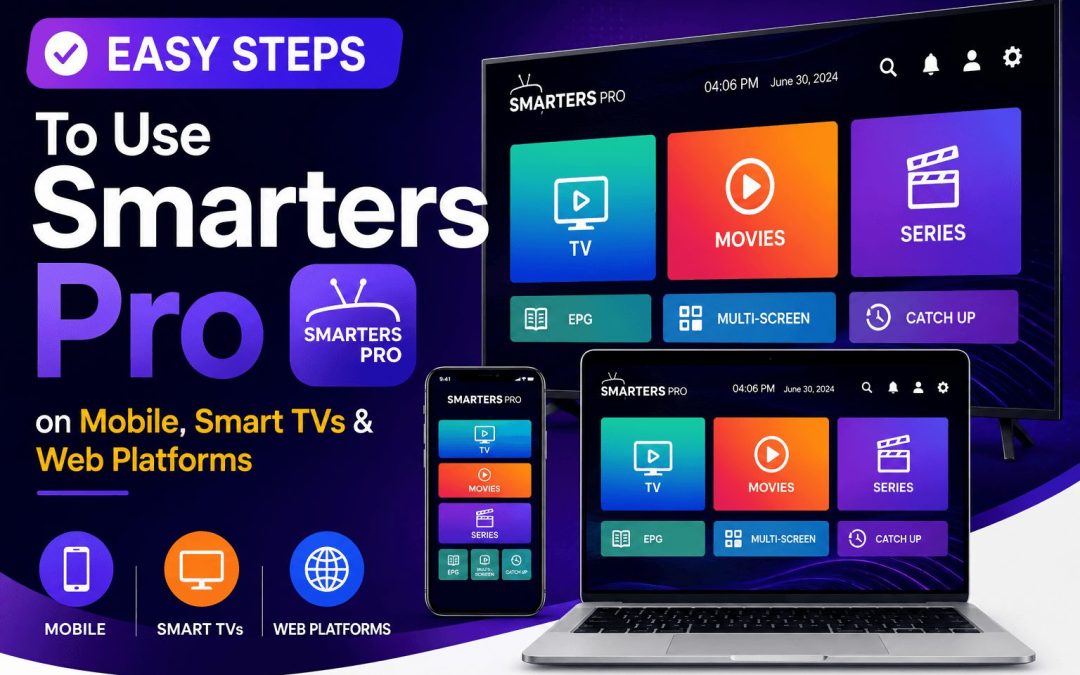
In today’s digital entertainment world, users want a simple and reliable way to enjoy their favorite movies, TV shows, live content, and audio content across multiple devices. That’s where the app comes in. As a powerful OTT player and online media player, this app allows users to stream and manage their personally owned content seamlessly on Android devices, iPhones, Smart TVs, Windows, Mac, and web browsers.
Whether you are a beginner or an experienced user, this guide will help you understand how to use OTT players on different platforms with ease.
What is Smarters Pro?
This app is a modern video streaming player designed for smooth and high-quality playback. It supports M3U and JSON playlists, making it easy for users to stream content from local storage or remote sources.
The app is available on multiple platforms, including:
- Android Phones
- Android TV
- iPhone and iPad
- Apple TV
- Smart TVs – Samsung TV
- Windows and Mac
- Web Browsers
One of the biggest advantages of video streaming player is its user-friendly interface and cross-platform compatibility. Users can access their content anytime and anywhere without switching between multiple apps.
Note:The application does not provide, host, or sell any IPTV subscriptions or media content. It is only a media player application.
How to Use Online Media Player on Android Devices
Android users can easily install and use video streaming players on smartphones and tablets.
Step 1: Download the App
Visit the official streaming player website or Google Play Store and download the Android version of the app.
Step 2: Install the Application
Once the APK or Play Store installation is complete:
- Open the app
- Allow necessary permissions
- Launch Smarters Pro
Step 3: Login with Your Credentials
To access your content, enter the login details provided by your content or streaming service provider.
Typically, you may need:
- Username
- Password
- Playlist URL or M3U link
Step 4: Start Streaming
After successful login, users can browse:
- Movies
- TV Series
- Live streaming
- Audio Content
The Android version offers smooth playback, easy navigation, and parental control options.
How to Use Smarters Pro on iPhone & iPad
The online media player is also available for iOS devices, including iPhones and iPads.
Step 1: Install from the App Store
Search for The application in the Apple App Store and install the application.
Step 2: Open the App
After installation:
- Launch the app
- Accept permissions if requested
Step 3: Add Your Playlist
Enter your subscription or playlist details manually using:
- M3U Playlist
- Xtream Codes API
- JSON Playlist
Step 4: Enjoy Your Content
Once connected, users can stream content in high quality directly from their iPhone or iPad.
The iOS version is optimized for smooth performance and easy accessibility.
How to Use Smarters Pro on Smart TVs
Smart TVs provide a more immersive entertainment experience, and OTT player works efficiently on compatible Smart TV platforms.
Supported Smart TVs
- Android Smart TVs
- Samsung Smart TVs
- LG Smart TVs (availability may vary)
Step 1: Install the App
Go to your TV’s app store and search for streaming player.
Download and install the application.
Step 2: Login to Your Account
Open the app and enter your playlist or login credentials.
Step 3: Customize Your Viewing Experience
Users can:
- Add favorite channels
- Manage multiple playlists
- Use parental controls
- Enjoy large-screen streaming
The TV interface is specially optimized for remote control navigation.
How to Use This OTT Player on Web Browsers
This media player also offers a WebTV Player for users who prefer browser-based streaming.
Step 1: Open the Web Player
Visit the official web player portal using your preferred browser such as:
- Google Chrome
- Safari
- Microsoft Edge
- Firefox
Step 2: Enter Login Information
Use your credentials or playlist details to access your content.
Step 3: Stream Directly from the Browser
The browser version eliminates the need for installation and allows instant access to your media library.
This option is perfect for office users, travelers, or those using shared systems.
Key Features of OTT Player
Online media player is more than just a standard OTT player. It includes several advanced features that improve the streaming experience.
1. Multiple Playlist Support
Users can add and manage multiple playlists within one app.
2. High-Quality Playback
The app delivers smooth and buffer-free video playback across devices.
3. Parental Control
Parents can restrict access to content based on age or category.
4. Cross-Platform Compatibility
One account can be used on multiple devices for seamless entertainment.
5. Add to Favorites
Users can quickly access their favorite content anytime.
6. Fully Customizable Interface
The app offers branding and personalization features for businesses and OTT services.
Tips for Better Streaming Experience
To enjoy smooth streaming on media player, follow these tips:
- Use a stable internet connection
- Keep the app updated
- Clear app cache regularly
- Use high-speed Wi-Fi for HD content
- Avoid outdated playlist links
These small optimizations can significantly improve playback quality.
Why This Online Media Player Stands Out
Millions of users choose the streaming player because of its simplicity, performance, and flexibility.
Here are some reasons why it stands out among OTT players:
- Easy setup process
- Clean and modern interface
- Fast loading speed
- Multi-device support
- Reliable video streaming performance
Whether you want to watch movies on your phone or stream live content on a Smart TV, the streaming player provides a seamless entertainment experience.
Conclusion
Smarters Pro is the most versatile OTT player available today. With support for Android, iPhone, Smart TVs, Windows, Mac, and web browsers, it allows users to stream their favorite content conveniently across devices.
Its support for M3U and JSON playlists, combined with smooth playback and user-friendly design, makes it an excellent online media player for modern streaming needs.
If you are looking for a powerful video streaming player that works across platforms and offers reliable performance, the streaming player is a great choice.